Claude Code plugin
The plugin answers three questions without leaving the terminal: how much am I saving, is my cache about to cost me, what should I do? It is a status line that is always visible, and a short set of commands that each answer one question.
Install
/plugin marketplace add rossoctl/context-guru
/plugin install context-guru@context-guru
/reload-plugins
/context-guru:install
The first two run once per machine; the last runs once per repo and decides which sessions are routed through the proxy. Full steps, scopes and the permission rule: Install as a Claude Code plugin.
The install also turns the status line on in the same settings file as the routing.
Commands
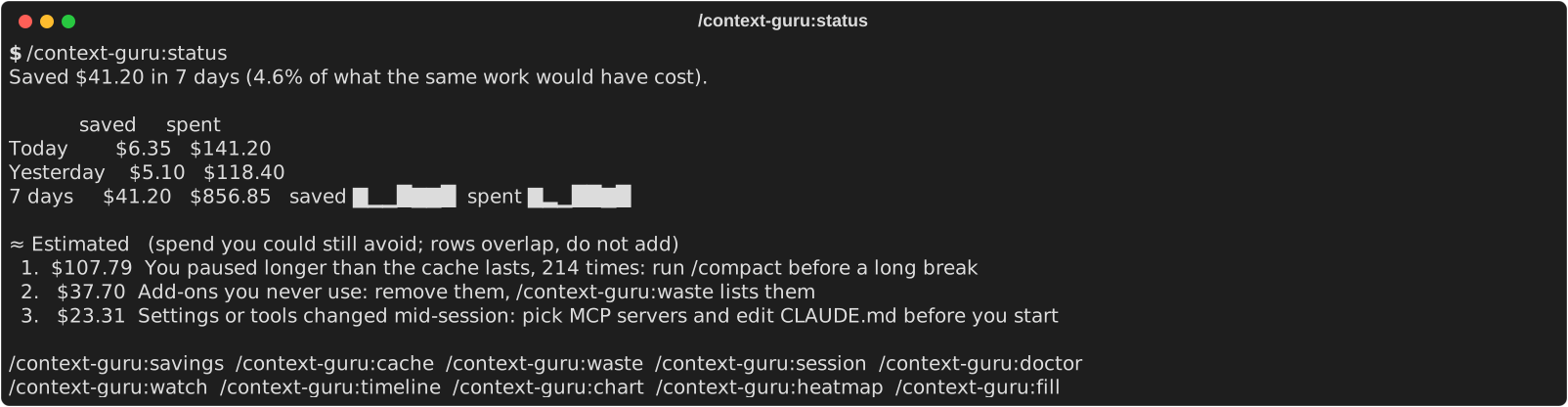
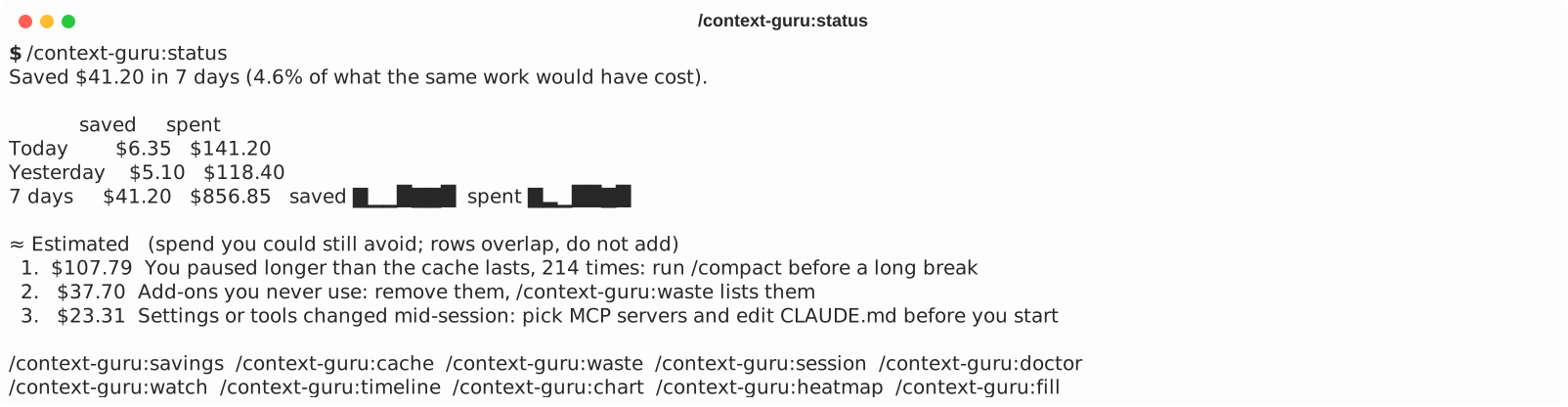
One command per question. Each opens with one line that answers it, then a small picture; add details for the tables behind it.
| Command | The question it answers | Page |
|---|---|---|
/context-guru:status |
Is it working, how am I doing, what next? | Home and status |
/context-guru:savings |
How much did it save? | Savings |
/context-guru:cache |
Is my cache about to cost me? | Cache |
/context-guru:waste |
What do I carry and never use? | Waste |
/context-guru:session |
What happened in this session? | Session |
/context-guru:doctor |
Is it set up right? | Doctor |
Five more views draw in the terminal: /context-guru:watch, timeline, chart, heatmap and fill. They are on Terminal views.
Moved commands
The old names keep working for one release. Each says where it moved and runs the new command.
| Old | New |
|---|---|
/context-guru:insights |
/context-guru:status |
/context-guru:insights-capabilities |
/context-guru:waste |
/context-guru:insights-idle |
/context-guru:cache |
/context-guru:insights-components |
/context-guru:savings |
/context-guru:cost-today |
/context-guru:status |
/context-guru:cost-unused |
/context-guru:waste |
/context-guru:cost-cold, /context-guru:cost-compact |
/context-guru:cache |
/context-guru:cost-trends |
/context-guru:savings |
/context-guru:statusline still installs, changes and removes the status line; /context-guru:doctor checks that it is there.
How the screens are written
- Dollars first. Every screen opens with a dollar figure, never a token count (ask for
detailsif you want sizes). - Saved and Estimated are different things.
✓ Savedis what the proxy saved you, compared with the same requests without it, at your gateway's prices, net of its own spend.≈ Estimatedis spend you could still avoid; those rows overlap, so they are not added together. Plain facts, straight from the provider's usage, are labelledmeasured. - Plain text for the six commands; colour for the views.
status,savings,cache,waste,sessionanddoctorprint plain Unicode with no colour codes, so they read the same on a light and a dark terminal. The five terminal views use colour (with--theme light|dark), and fall back to plain when output is not a terminal orNO_COLORis set. The status line uses the basic terminal colours.
Update
| What | How |
|---|---|
| The proxy | /context-guru:update (Claude Code checks in routed sessions and offers it) |
| The plugin | /plugin marketplace update rossoctl/context-guru, then /reload-plugins |
The proxy is released separately; updating the plugin does not update it. Details: Updating.
Uninstall
/context-guru:uninstall undoes one install: it removes the routing key it added (with a backup), restores any status line you had before, and stops the proxy. If a session cannot run commands because every request fails, use the recovery script in The plugin's recovery files.
Codex (experimental)
Codex has the same skills under the same names, invoked by name: $context-guru-status, $context-guru-savings, $context-guru-cache, $context-guru-waste, $context-guru-session. They run the same scripts. Install, update and removal are in the Codex plugin guide.
| Capability | Claude Code | Codex |
|---|---|---|
| Commands | /context-guru:* |
skills, by name |
| Status line from a command | yes (statusLine with refreshInterval) |
no: /statusline only picks from built-in items such as context used and rate limits |
| Live cache clock and savings badge | yes | not available; ask $context-guru-cache instead |